
When a user activates the ClearBlade IoT Core offering from the Google Cloud Marketplace, a new account is created with that user’s email address within ClearBlade IoT Core. That user now has permission:
-
Connect to Google Cloud projects
-
Create new device registries
This user can grant / revoke permissions to other users to build on existing device registries by following these steps:
To Add Users
-
Make sure the new users have registered here.
-
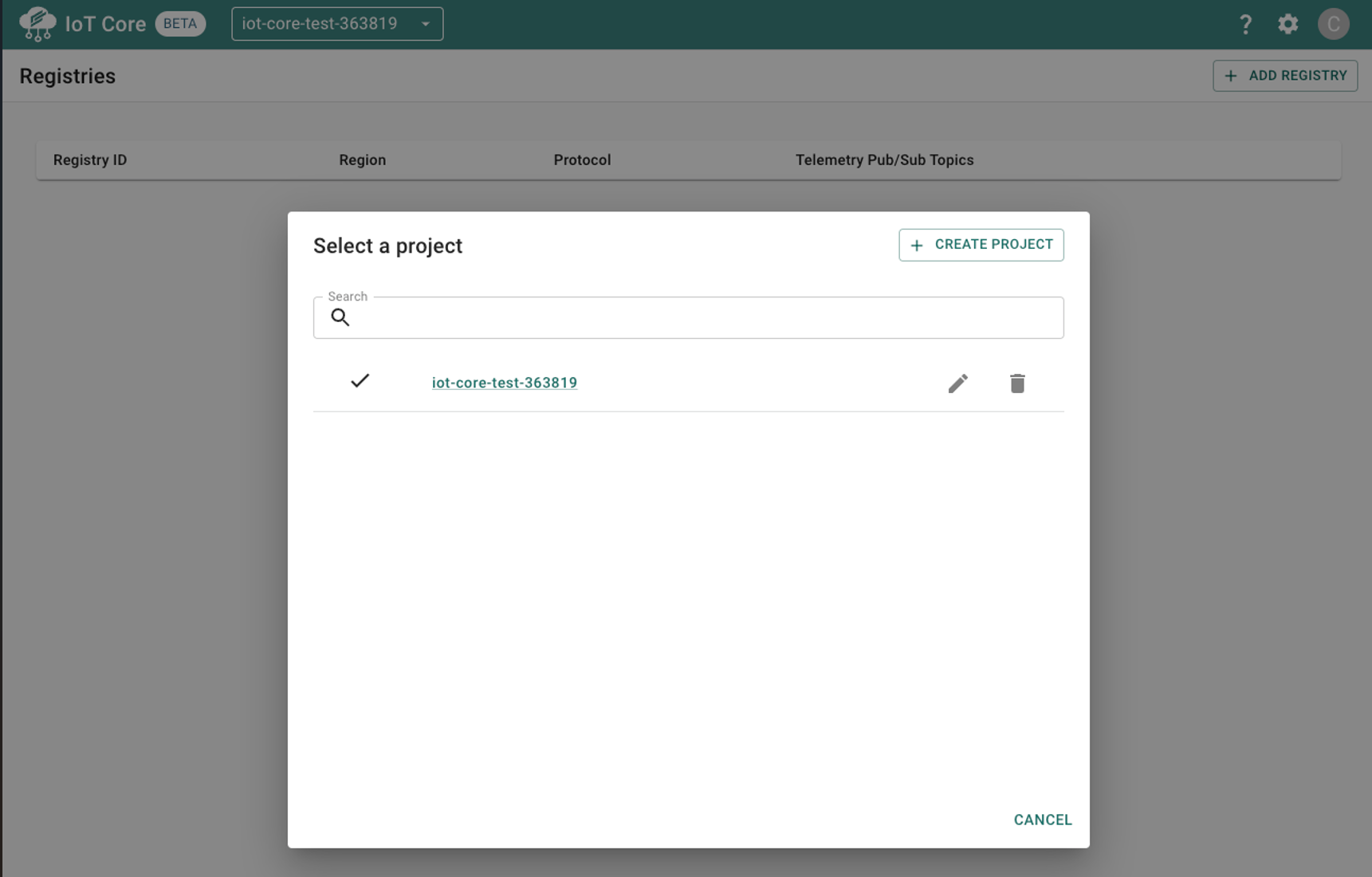
Open the project selector window (drop-down at the top of the page).
-
Click the edit icon (

-
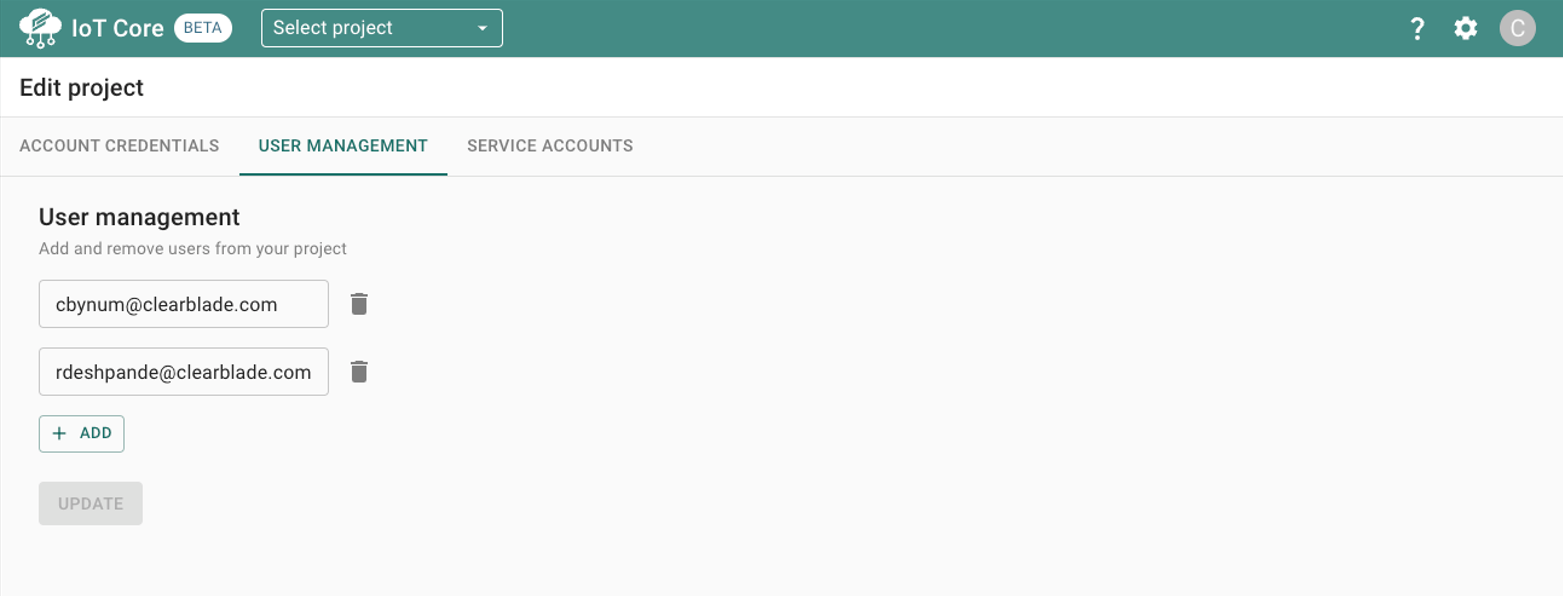
Select the second tab, USER MANAGEMENT.
-
Click ADD and provide the user’s email. The user must already be registered in ClearBlade IoT Core.
-
Click UPDATE to apply the new permissions.
To Delete Users
Follow the same steps as above, but in the User Management tab click the Delete icon ( 