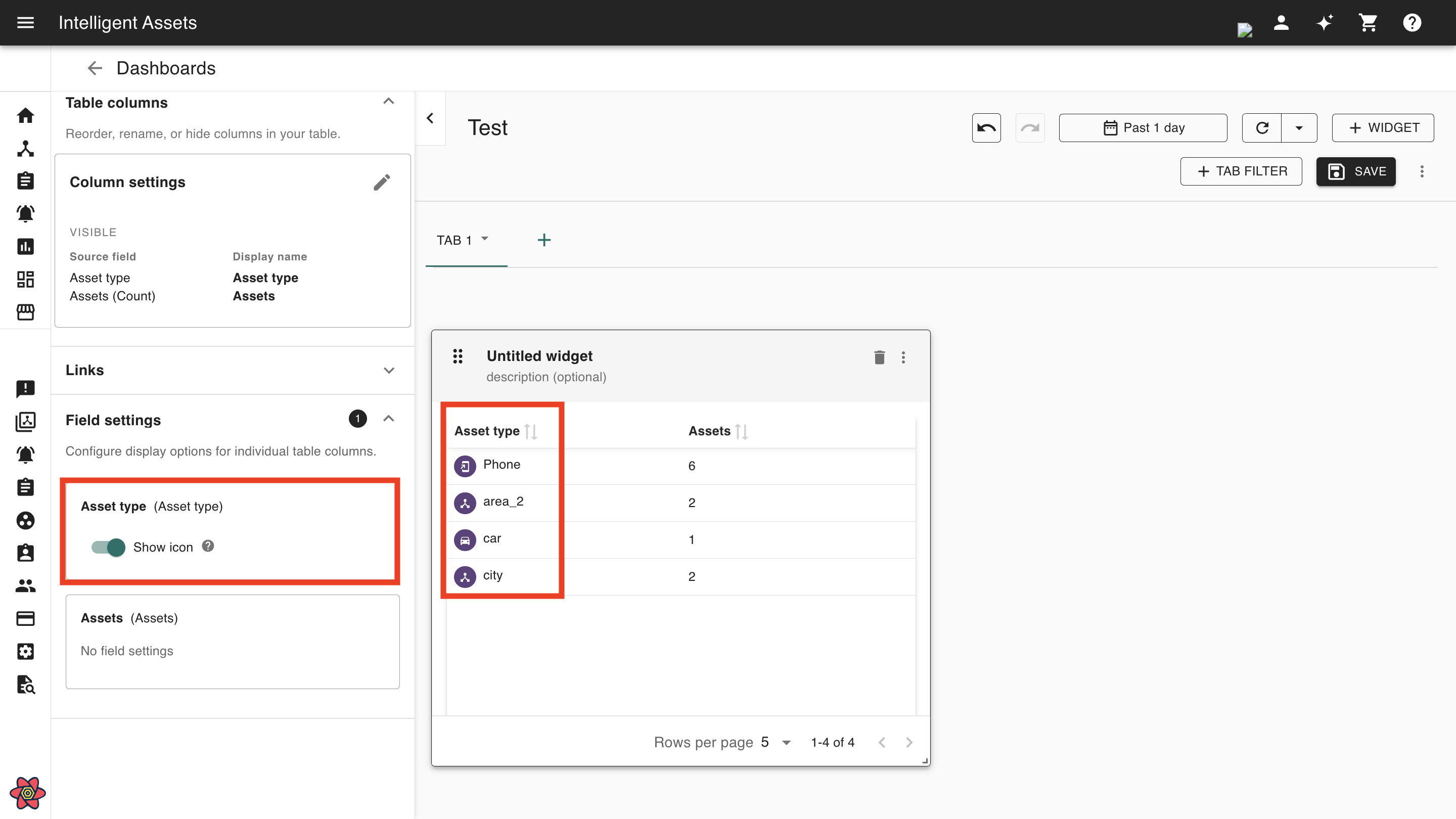
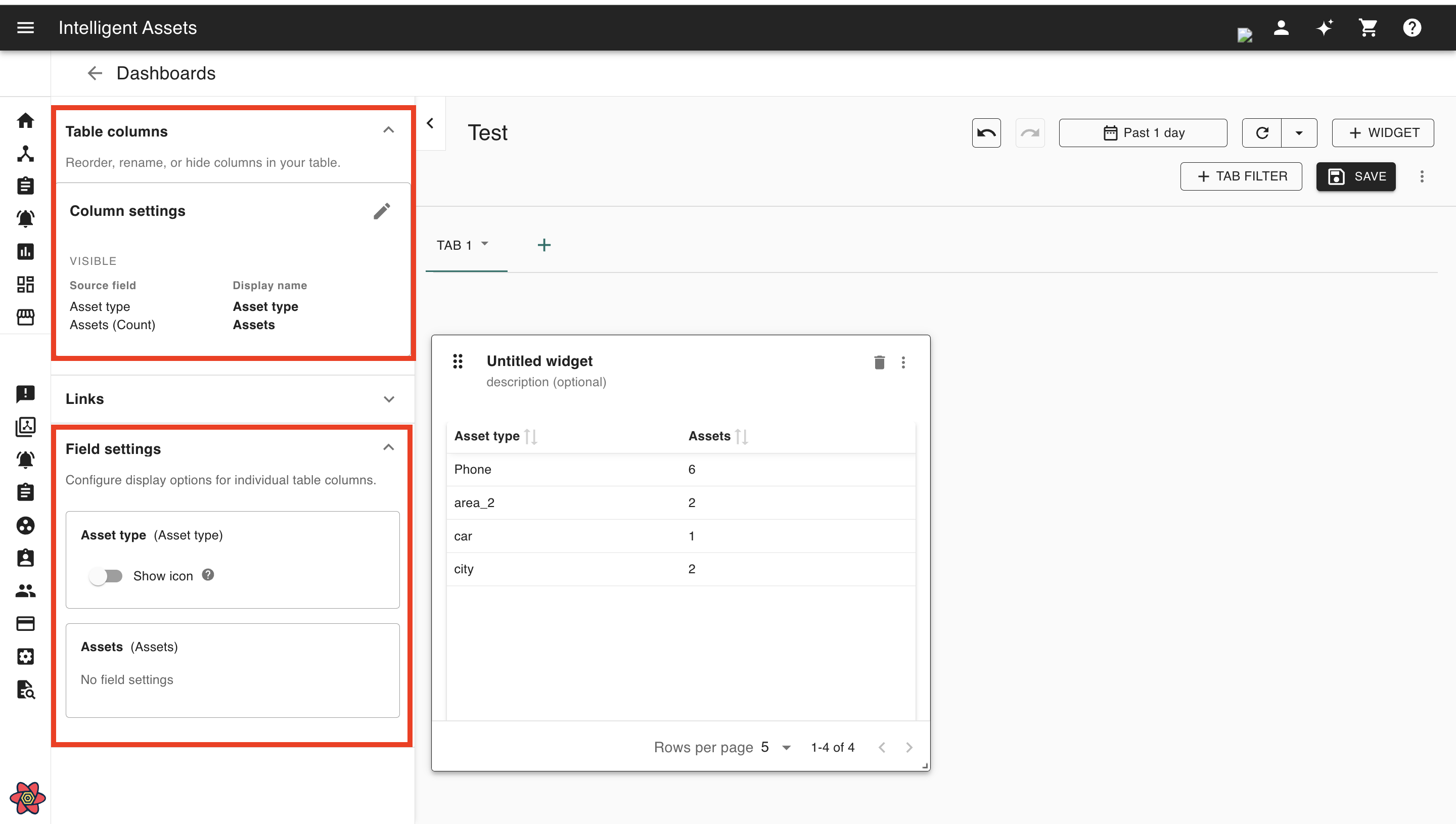
The field settings allow users to configure assets, asset types, events, event types, and event severity columns to display their respective icons on the dashboard table.
-
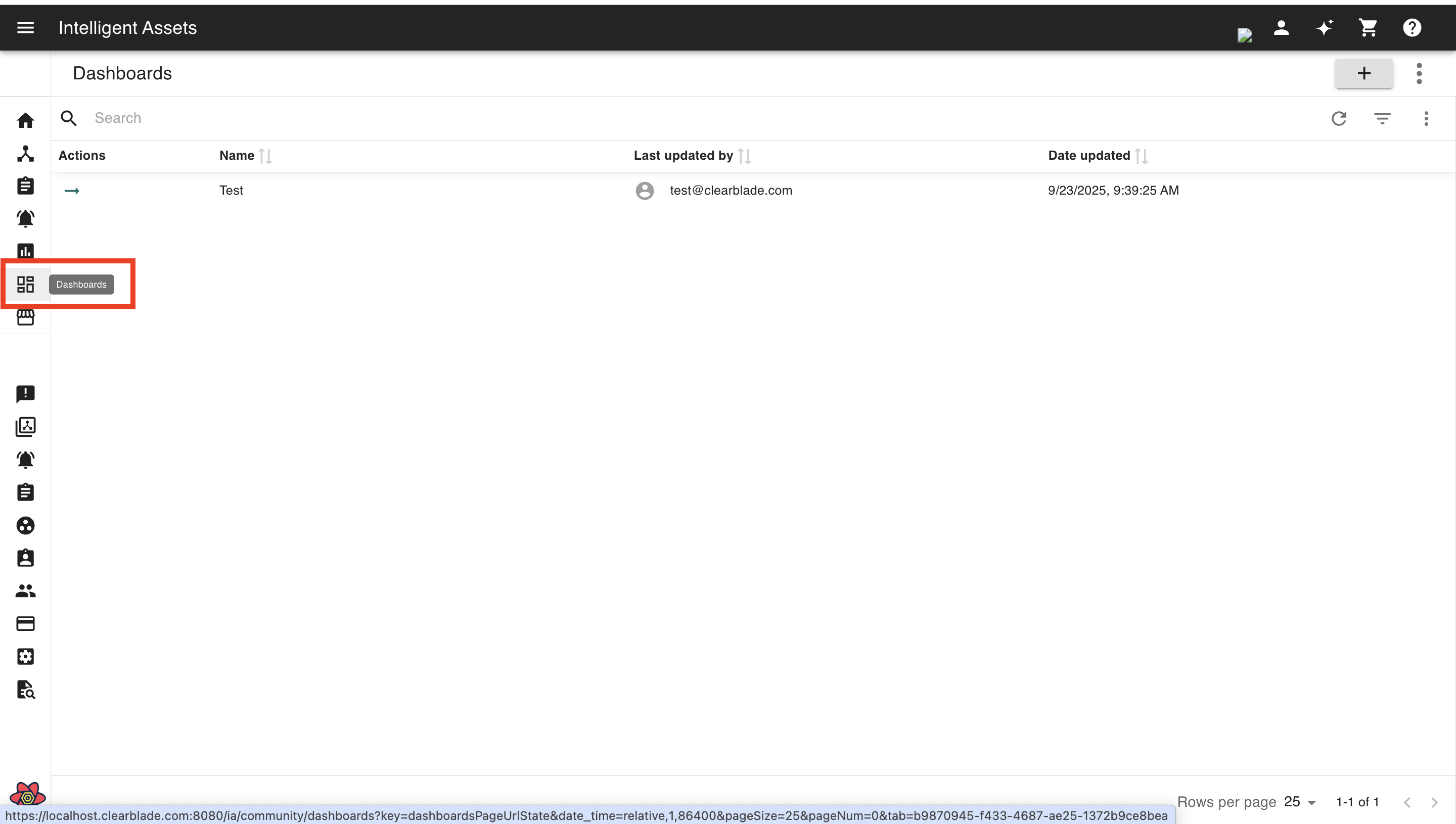
Go to your dashboards.
-
Click EDIT at the top-right of your dashboard.
-
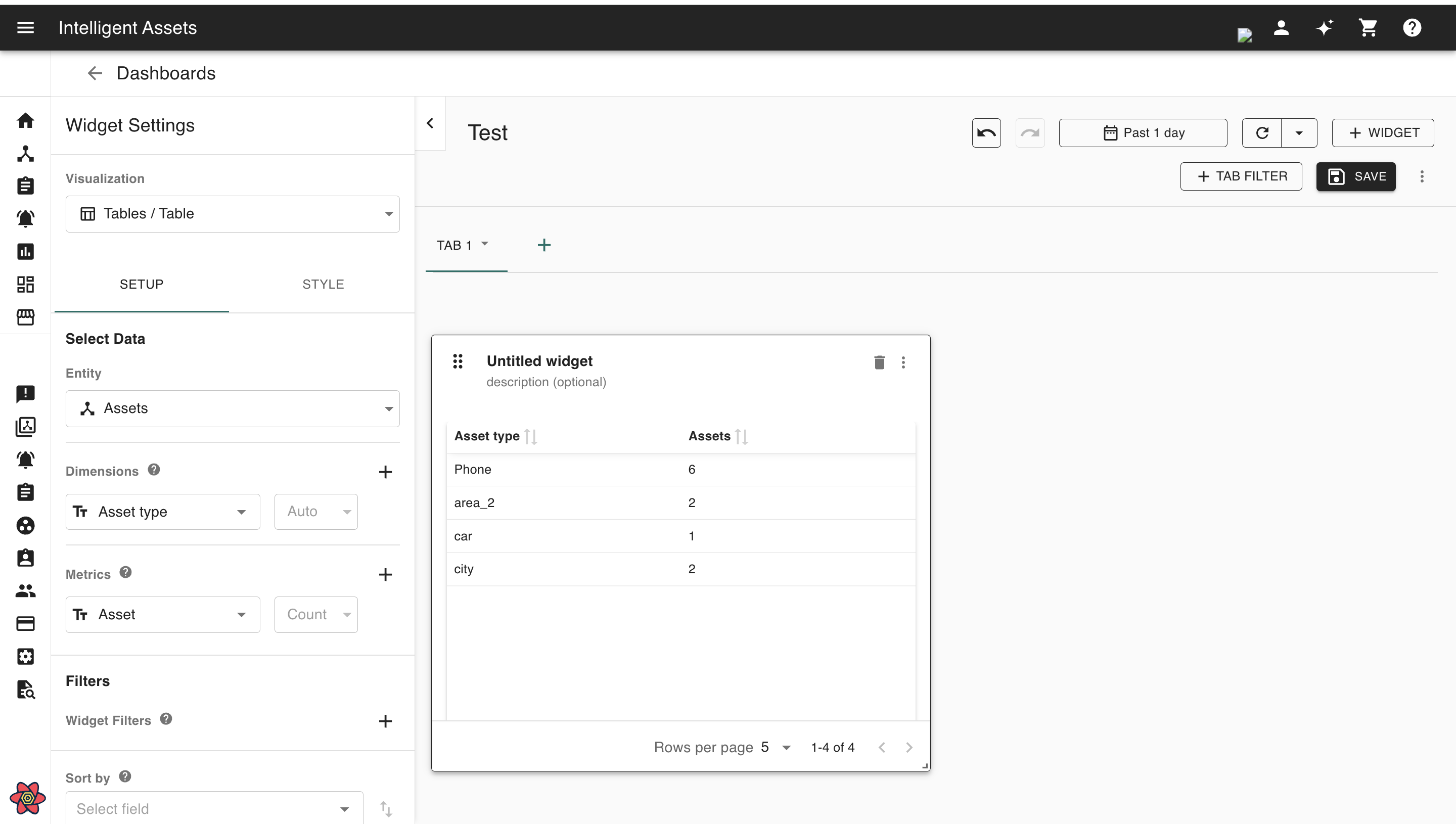
Create a new Table widget with your desired options or edit an existing Table widget.
-
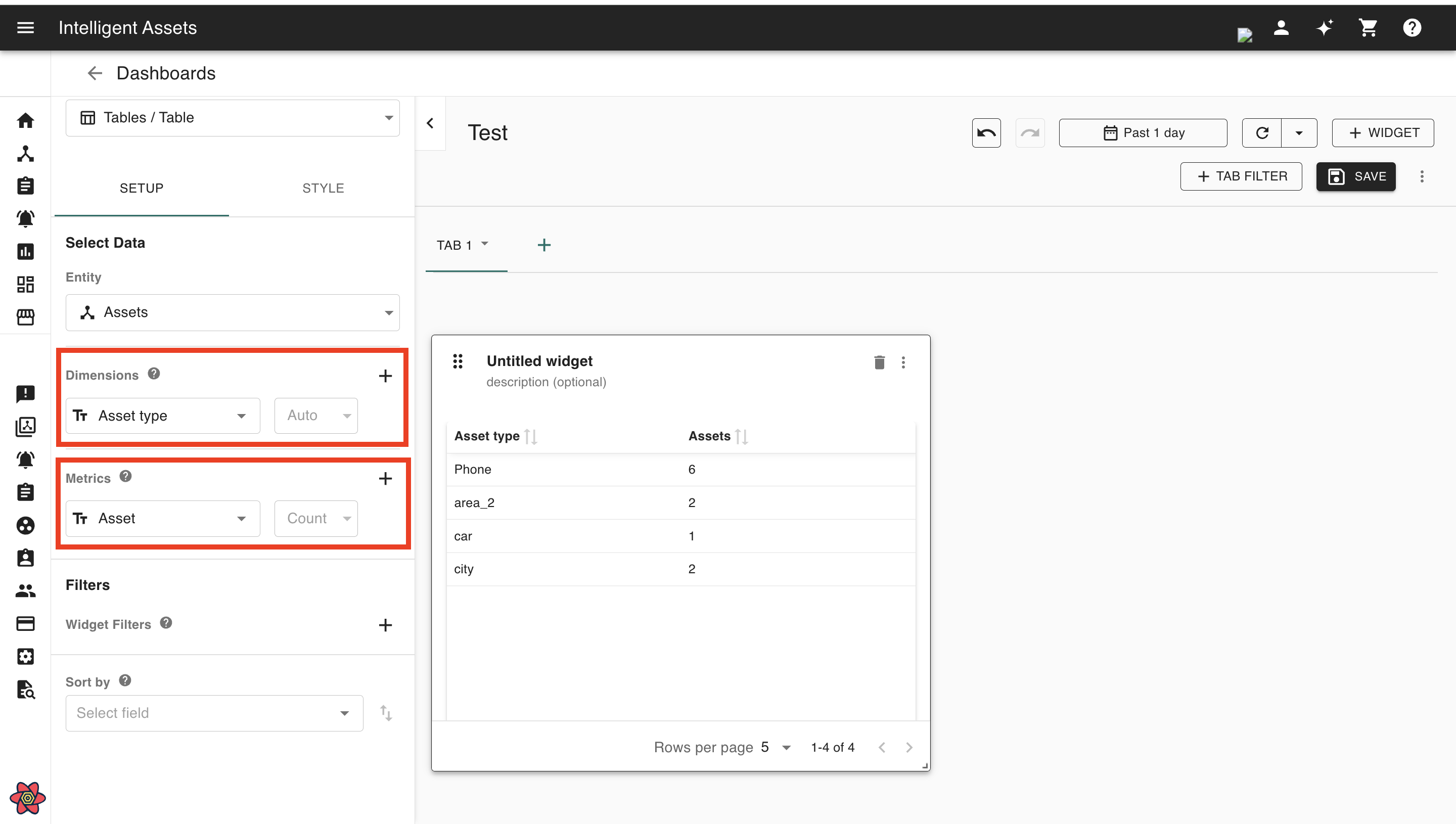
Set up the table using the
SETUPtab. -
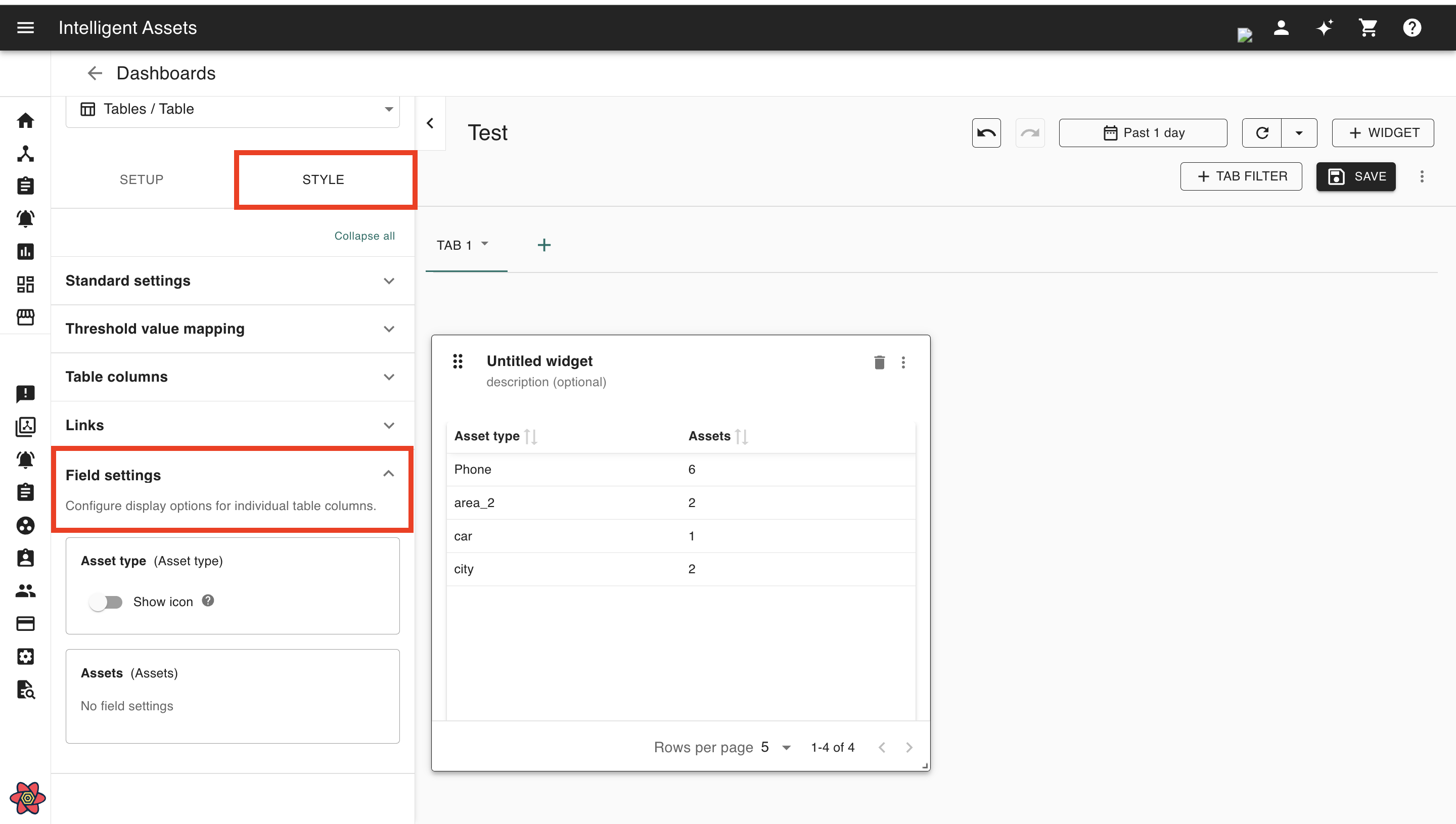
Go to the
STYLEtab and scroll down to theField settingssection
-
Note that the Dimensions and Metrics the user selects in the
SETUPtab will appear inTable columnsandField settings.
-
In
Field settings, the users can see which table columns offer settings. For example, some columns may display a toggle toShow icon. By default, theShow iconoption is turned off. -
When the user turns on the
Show iconoption, the respective icons for the selected columns will appear in the Dashboard table alongside the row values.