Dashboards
Q: How do I compare multiple Asset attributes to each other in a line graph?
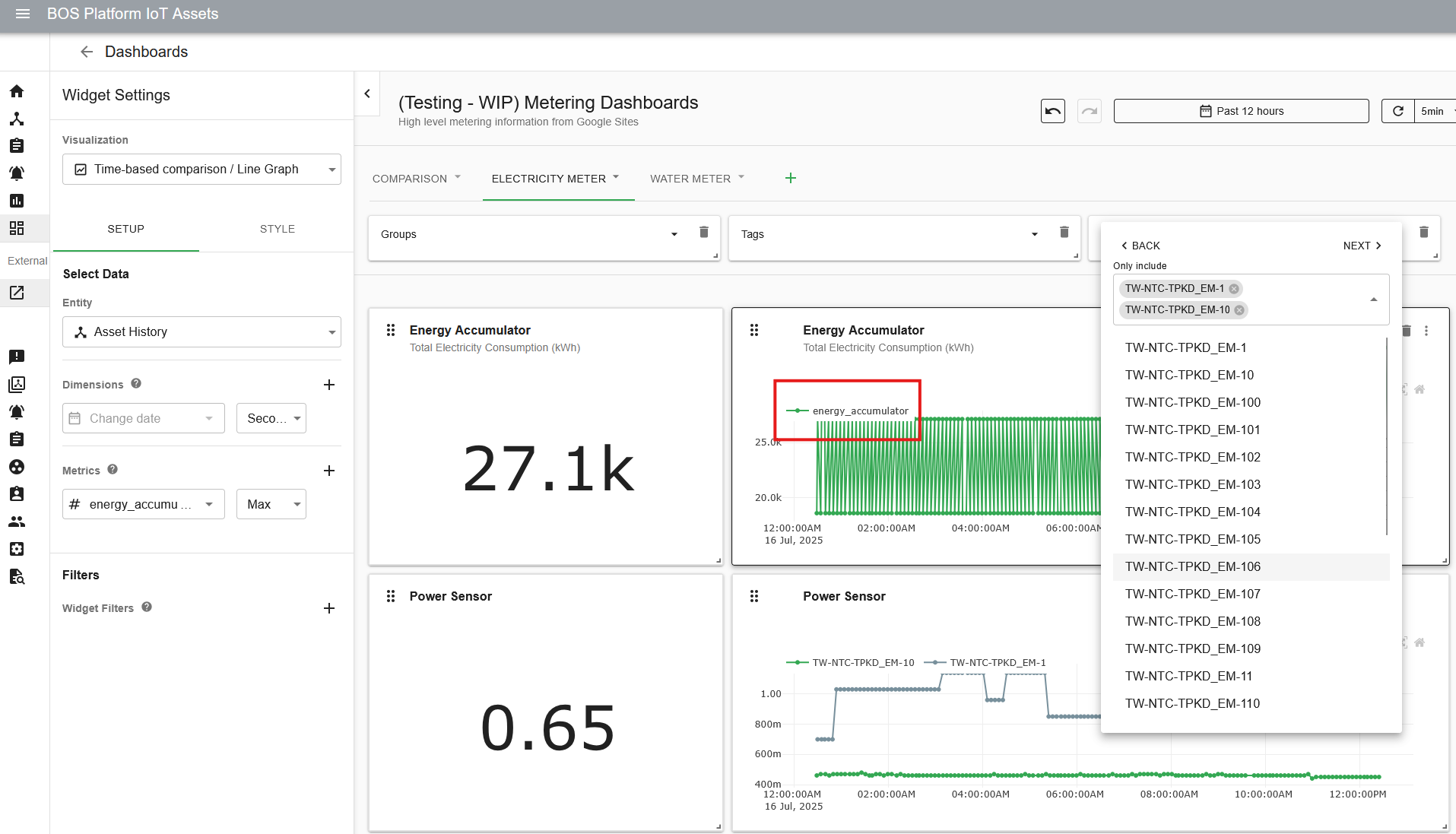
A: By default, graphs will show all attribute entries in a single line when multiple assets are selected in a filter:
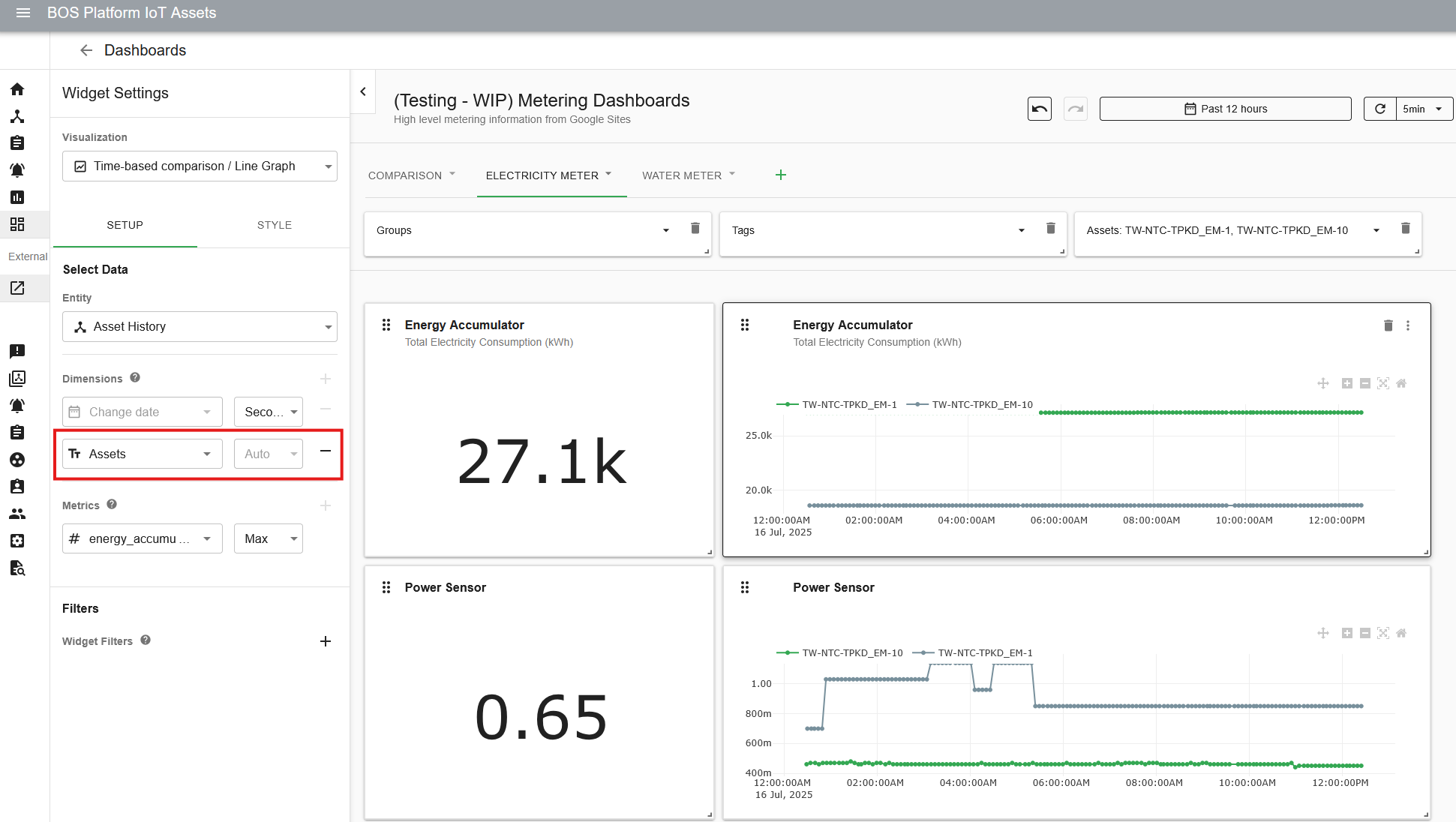
To see multiple lines and compare assets, add “Assets” as a second dimension in the widget: